How exposed are you?
guardiax looks at the two ways someone gets into your life: your iPhone and your email. It gives you one number, then shows you how to bring it down, one setting and one password at a time.
Free for iPhone and iPad. The iPhone check, message review and guides are always free, and your first three live checks are too.
exposure across your iPhone and your email
Each setting you turn on, and each step you confirm, brings the number down.
One number you can actually move.
Most security apps tell you you're at risk and stop there. guardiax splits the risk in two, your iPhone and your email, and every part of it comes with a fix you can do in a minute or two. The number goes from 0 to 100% and from green to red, and it drops while you watch.
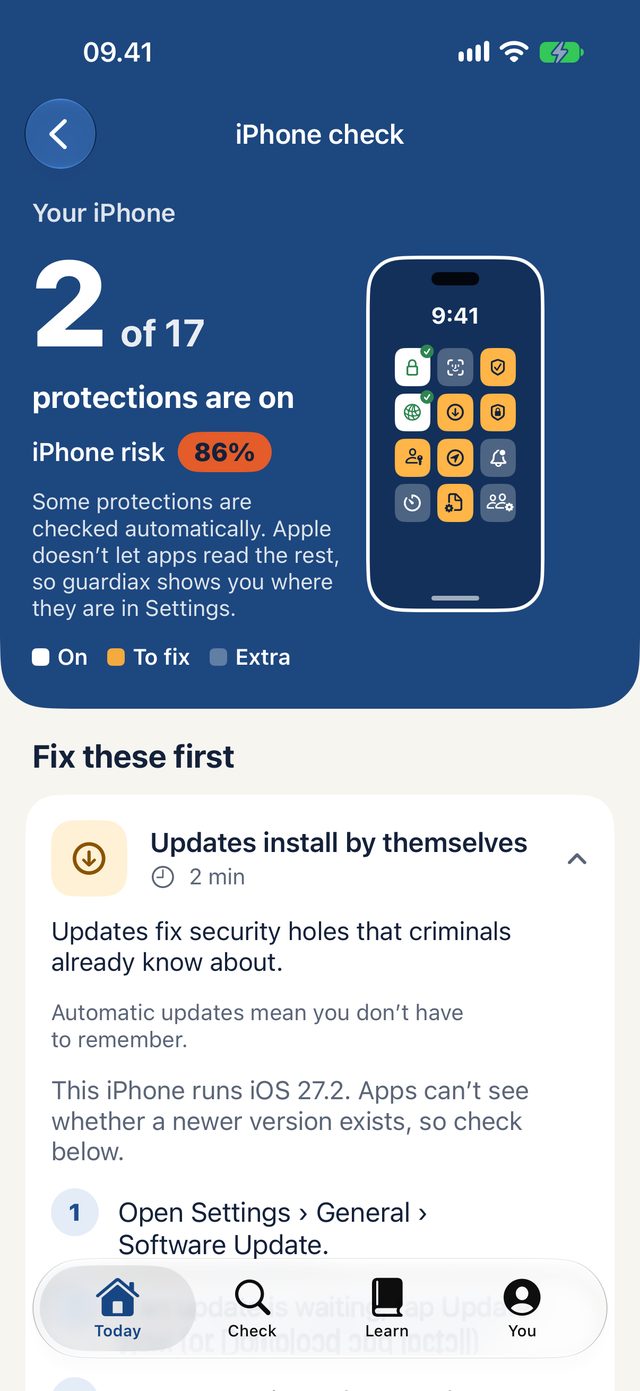
Make your iPhone harder to break into.
17 protections that decide what happens if your phone is lost, stolen or targeted. guardiax checks what it can by itself and walks you to the rest in Settings.
- Fix the important ones first. Passcode, Stolen Device Protection, automatic updates, two-step sign-in for your Apple Account and Find My lead the list.
- See the exact switch. Steps written for your iPhone and your version of iOS, with a picture of the setting to turn on, and what to type in the Settings search if the menu has moved.
- Checked on the phone. Passcode, Face ID or Touch ID, signs of a jailbreak and hidden web proxies are checked automatically. Nothing is sent anywhere.
- Free, always. No account, no check used up.
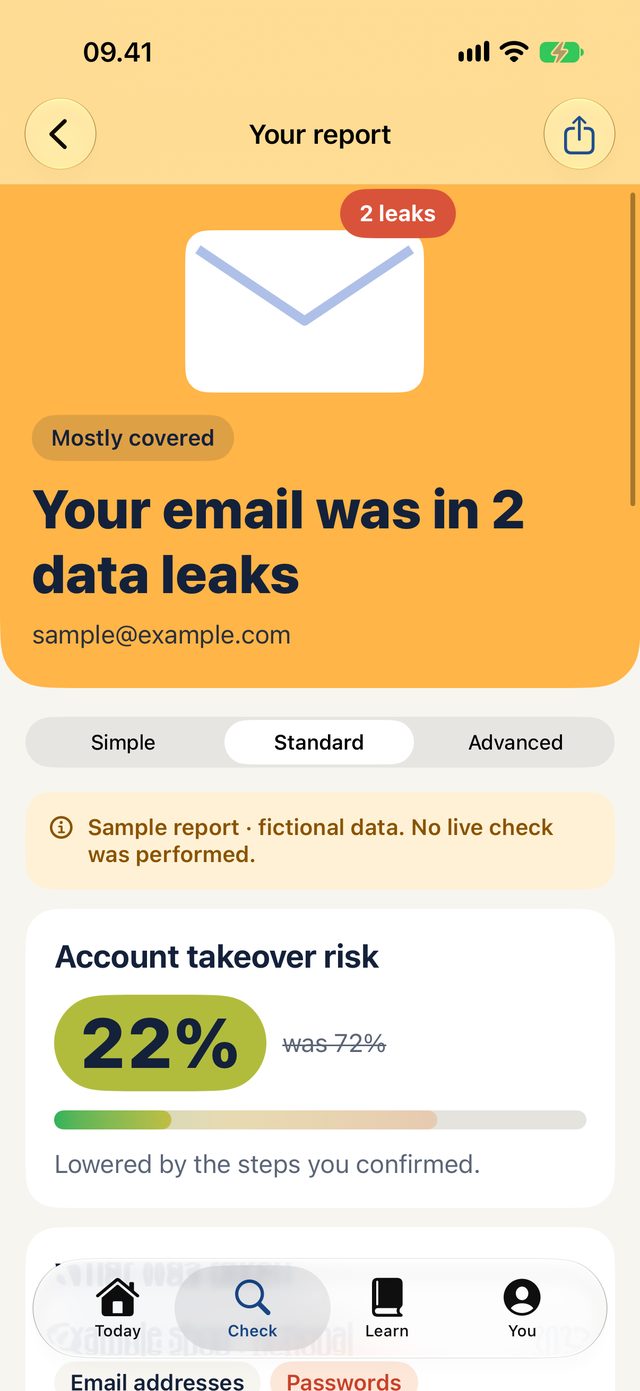
Find out if your email leaked, then close the door.
See which known data leaks include your email and what each one exposed. Then tell guardiax what you've done since, and watch your account takeover risk go down.
- What was taken. Passwords, names, phone numbers: each leak shows its own, so you know which accounts to deal with first.
- Credit for what you did. Changed your passwords, turned on two-step sign-in, moved to passkeys or a password app? Mark the day you did it. No extra check needed.
- Honest about dates. A password change only covers the leaks that came before it. A leak reported later stays open until you deal with it.
- Protect your accounts. A checklist for your email, Apple Account, bank, social apps and passwords: what to switch on in each, with the steps. You tick what you've done, and it stays on your iPhone.
- Has a password leaked? Free. Type a password and see whether it appears in known leaks. Your password never leaves your iPhone: only a few characters of a one-way fingerprint are sent, and the match happens on the device.
Check a link before you tap it.
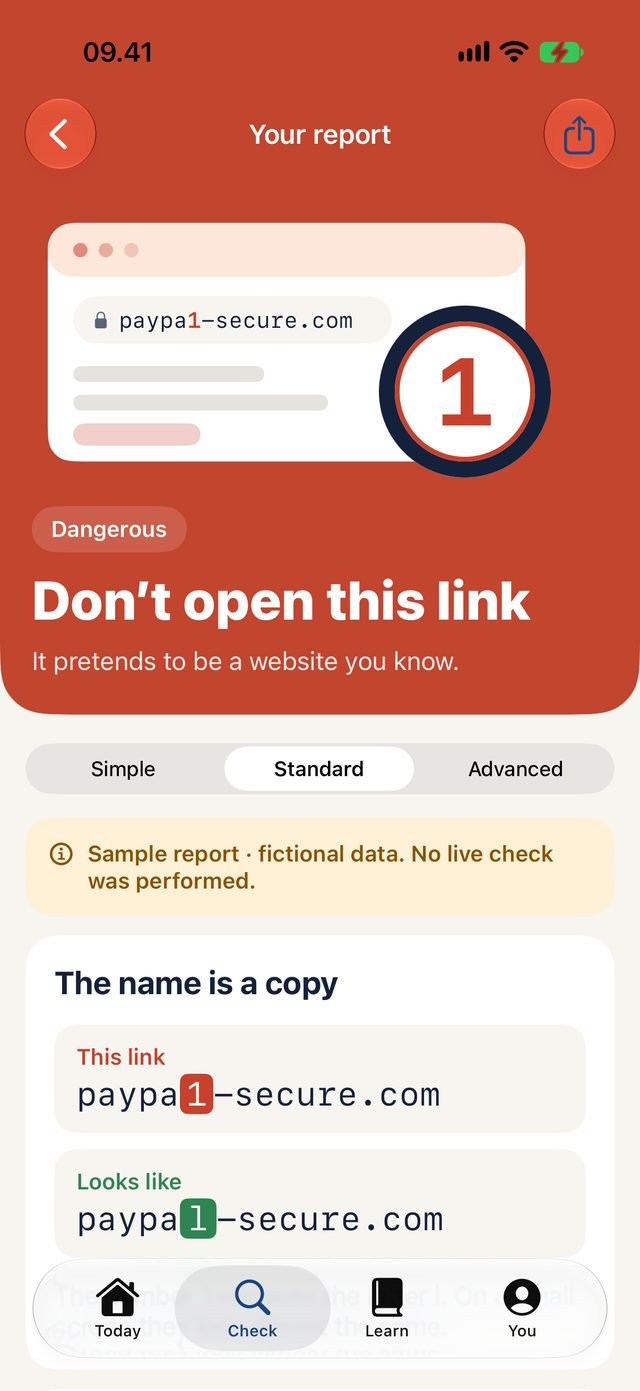
guardiax picks the check that tells you the most about each link, and shows you why it's suspicious instead of just saying so.
- Lookalike names, caught. A 1 instead of an l, a 0 instead of an o: shown side by side with the name it copies.
- How old the website is. Real companies keep their address for years. Scam sites are usually days or weeks old.
- The exact page. Login and payment pages on well-known platforms are checked against Google's list of dangerous pages. Anything after ? or # is removed first.
- Reputation and email setup. For the curious, Advanced shows the records behind the verdict.
- See where it goes (Plus). guardiax opens the link on its own server, far from your iPhone, follows every redirect and shows where it ends up, with a picture of the page. Short links can't hide their destination.
paypa1-secure.compaypal.comSpot the tricks in a whole message.
Paste a text, email or chat, or pick a screenshot. guardiax marks the pressure tactics scammers use and finds every link in it. All of it happens on your iPhone.
- The usual tricks, named. Rushing you, threats to your account, gift cards and odd payments, secrecy, prizes, fake deliveries.
- In English and Italian. The phrases scammers use in both languages.
- Every link, grouped by website. Check the one you're unsure about with a tap.
- Show me where. On iPhones with Apple Intelligence, guardiax can point to the exact words that show each warning sign. It runs on your iPhone and nothing is sent.
- Email headers. Paste an email's headers to see what the sender's provider recorded about it, and spot a Reply-To that points somewhere else.
- Scams going around. Examples of the seven kinds of scam, free. With guardiax Plus, the weekly report counts which scams and brands are imitated most, from public scam lists.
- A Home Screen widget, free. How many of your iPhone's protections are on, the next one to turn on, and a scam to recognise. Its values can hide while your phone is locked, depending on your settings.
- Nothing is sent until you choose to check a link.
Protection that keeps working when you're not looking.
Checking a link you're unsure about is the first step. These two work in the background, so the scam never reaches you in the first place, and you hear about a new data leak before it costs you.
Scam blocking in Safari and Messages.
- Blocked before it loads. Known scam and phishing websites are stopped in Safari. The list behind it is updated every day.
- Junk, not your inbox. Scam texts from unknown senders go straight to Messages' Junk folder. On iPhone, for SMS: apps can't filter iMessage.
- Your browsing stays yours. The list is downloaded to your iPhone and compared there. The sites you visit and the texts you receive are never sent anywhere.
- Two switches. guardiax shows you exactly where to turn them on in Settings, for your version of iOS.
Breach alerts for your email addresses.
- Up to 3 addresses. Yours only: each one is confirmed with a 6-digit code sent to it.
- Checked about once a week. When an address shows up in a new data breach, you get an email saying what was exposed and what to do first.
- By email, and by notification if you want. Turn on notifications and your iPhone tells you straight away, showing the address with most letters hidden and the breach's name.
- Only new breaches. The first check records the leaks an address is already in, so you're only told about new ones.
- Stop any time. Remove an address in the app or use the link in any alert, and it's deleted. Addresses are stored encrypted, only while alerts are on.
l***@example.com was found in a new data breach
An address you monitor with guardiax was newly found in data from the ExampleShop breach (March 2026).
Email addressesPasswordsPhone numbers
What to do: change that password, and anywhere you reused it, and turn on two-step sign-in.
Explained the way you want it.
Choose how much detail you want. The answer stays the same; only the explanation changes. Try it.
QR codes
See where a QR code goes before anything opens.
From the Share menu
Share a link, the text of an SMS or email, or a screenshot from Messages, Mail or Safari, and see the scam signs on the spot.
Siri, Shortcuts and the Action button
"Is this link safe in guardiax?", or put "Check a link" and "Scan a QR code" on your Home Screen or Action button.
Short guides and a dictionary
Scams, data leaks, passwords and passkeys, reading a web address, and what to do if you already clicked. Every security word explained in plain language.
Try it with an example
A sample dangerous link and a sample leaked email, so you can see every screen before you run a real check.
"Did you know?" tips
One short, practical tip each time guardiax starts, never repeated until you've seen them all. Easy to turn off.
iPhone and iPad, any text size
A native app for both, from iOS 18, in light and dark, built for the largest text sizes and for VoiceOver.
History, if you want it
Off by default. When on, your reports are kept on this device, protected and left out of backups.
Private by design.
A security app shouldn't be one more thing tracking you.
No ads. No tracking.
No advertising identifiers, no analytics SDKs, no account to create.
On your iPhone first
The iPhone check, message review, email headers, QR codes, text recognition, Apple Intelligence explanations and Scam blocking all run on the device, and a password you type is never sent. A check sends only the email or website you choose.
Your steps stay with you
The dates you record are kept on your iPhone, and the risk on Home is stored without your email address.
Free to start.
The iPhone check, message review, password check, account checklist, guides and the Home Screen widget are free for good. Live checks of emails and links use our service, so after the first three you choose a plan. Plus also adds Scam blocking, Breach alerts, link previews and the weekly scam report.
Free
For everyone
- iPhone check and your risk exposure
- Message review, QR codes, text recognition
- Guides and the dictionary
- Three live checks, and failed ones don't count
guardiax Plus
Monthly or yearly
- Unlimited live checks of emails and links
- Check every link in a message at once
- Scam blocking in Safari and Messages
- Breach alerts for up to 3 email addresses
- The weekly scam report: which scams and brands are rising
- Cancel any time in your Apple Account
guardiax Lifetime
Pay once
- Everything in Plus, for good
- No subscription
- Shared with your family through Family Sharing
Prices are shown in the App Store in your currency before you buy. Subscriptions renew automatically until cancelled. Restore Purchases is in the app's You tab.
See your number. Then bring it down.
Download on the App StoreLooking for the privacy policy? It's on its own page.